
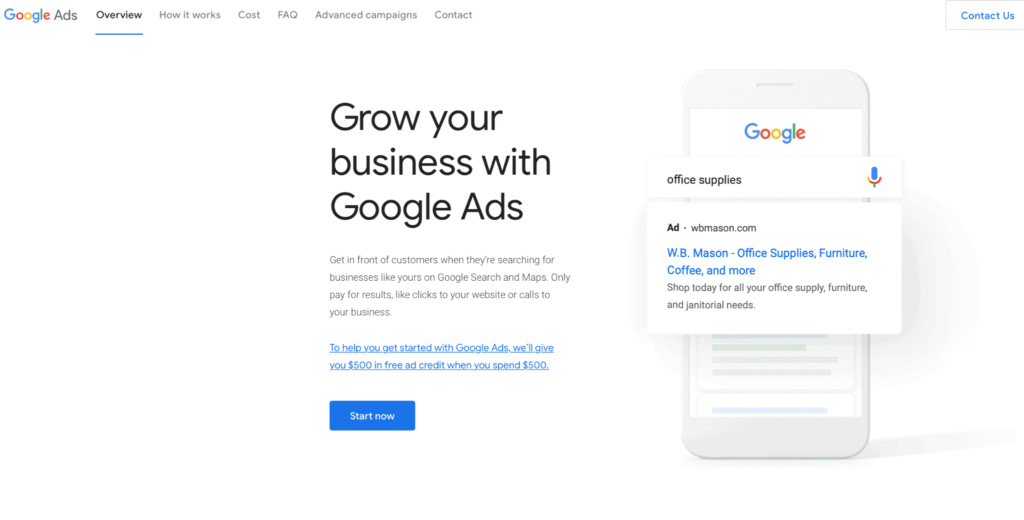
Running Google Ads can be one of the fastest ways to drive targeted traffic, generate leads, and boost sales—but only when the campaign is set up correctly. Many beginners dive into Google Ads without understanding the fundamentals, leading to wasted budget, ineffective ads, and frustrating results. The good news? With the right structure and strategy, you can build a high-converting Google Ads campaign even as a beginner.
This guide walks you step-by-step through the entire process, helping you avoid common mistakes and set up campaigns that deliver real ROI.
1. Understand How Google Ads Works
Before creating your campaign, you need to understand the basics.
Google Ads is based on an auction system, where your ad appears when someone searches for keywords related to your business. You pay only when someone clicks on your ad—also known as PPC (Pay Per Click).
Three key factors determine whether your ad appears and how much you pay:
✔ Your Bid
How much you’re willing to pay per click.
✔ Quality Score
Google’s rating of your ad relevance, keywords, and landing page experience.
✔ Ad Rank
A combination of your bid + quality score + expected performance.
A high quality score means you pay less and rank higher, so relevance is everything.
2. Set Clear Campaign Goals
A high-converting Google Ads campaign starts with clear goals.
Ask yourself:
- Do I want more website visits?
- Do I want leads (form fills, calls)?
- Am I promoting a specific product or offer?
- Do I want more sales for my e-commerce store?
Examples of good campaign goals:
- Generate 50 leads per month for my service business
- Drive traffic to a landing page to sell a digital product
- Increase e-commerce conversions by 30%
Having a goal helps you choose the right campaign type and measure success.
3. Choose the Right Campaign Type
Google Ads offers several campaign types, but beginners should focus on these:
🔍 Search Campaigns (Most Beginner-Friendly)
Your ads appear when users search keywords related to your business.
Best for:
- Service businesses
- Local businesses
- Coaches & consultants
- Agencies
- E-commerce (targeted keywords)
🛍 Shopping Campaigns
Ideal for e-commerce product listing ads.
📺 Display Campaigns
Banner ads across websites—good for brand awareness, not always ideal for beginners.
▶ Video Campaigns (YouTube)
Great for branding, storytelling, and awareness.
Start with Search Campaigns for the highest intent and best conversion potential.
4. Perform Keyword Research
Keywords are the heart of your Google Ads campaign. Without good keyword research, even the best ads won’t convert.
Use tools like:
- Google Keyword Planner
- Ubersuggest
- SEMrush (optional)
- Ahrefs (optional)
Focus on:
✔ Commercial intent keywords
(These indicate a buyer, not just a browser)
Examples:
- “best digital marketing agency”
- “plumber near me”
- “buy running shoes online”
✔ Long-tail keywords
Longer phrases with higher intent and lower cost.
Examples:
- “affordable wedding photographer in Mumbai”
- “home loan consultant for first-time buyers”
✔ Negative keywords
These prevent your ads from showing to irrelevant searches.
For example, if you sell premium services, add:
- free
- cheap
- low cost
Negative keywords help avoid wasted spend.
5. Write High-Converting Ad Copy
Your ad copy is what convinces a user to click. A strong ad includes:
Headline + Keywords
Use your main keyword in the headline.
Example:
“Affordable Digital Marketing Services for Small Businesses”
Clear Value Proposition
What makes you better than competitors?
- “24/7 Support”
- “Free Consultation”
- “100% Satisfaction Guaranteed”
Strong Call-to-Action (CTA)
Tell the user exactly what to do:
- “Book Now”
- “Get a Free Quote”
- “Shop Now”
- “Call Today”
Use Ad Extensions
Extensions improve visibility and conversion.
- Call extensions
- Sitelinks
- Location
- Price extensions
- Callouts
These add credibility and increase click-through rate (CTR).
6. Create a High-Converting Landing Page
Even the best ads will fail if the landing page is not optimized. Your landing page should:
✔ Match the ad message
If your ad promotes a discount, the page must show it clearly.
✔ Load fast (under 3 seconds)
Slow pages kill conversions.
✔ Have one clear CTA
“Get Quote,” “Buy Now,” “Sign Up Today.”
✔ Be mobile-friendly
More than 60% of Google searches are on mobile.
✔ Show trust signals
- Testimonials
- Ratings
- Certifications
- Before/after results (if applicable)
✔ Keep forms short
More fields = fewer conversions.
A high-quality landing page can double or triple your conversion rate.
7. Set Your Budget and Bidding Strategy
Google gives you several bidding options:
Smart Bidding (Recommended for beginners)
- Maximize Conversions
- Target CPA (cost per acquisition)
- Target ROAS
Manual CPC
You set the cost-per-click manually. Good for experienced advertisers.
Start small:
₹300–₹500 per day (or $10–$15/day) is enough to test.
As results improve, scale slowly.
8. Track, Analyze & Optimize
Your campaign is not “set and forget.” To achieve high conversions, you must analyze performance regularly.
Check:
- CTR (Click-Through Rate)
- CPC (Cost-Per-Click)
- Conversion Rate
- Quality Score
- Keywords that waste money
Optimize weekly:
- Pause underperforming keywords
- Add new negative keywords
- A/B test different headlines
- Improve landing pages
- Increase budget on winners
Optimization is where profits happen.
Final Thoughts
Setting up a high-converting Google Ads campaign isn’t complicated when you follow the right steps. Start with clear goals, choose high-intent keywords, create compelling ads, and direct users to a strong landing page. Over time, continuous optimization will ensure better results, lower costs, and higher ROI.
Even beginners can create profitable Google Ads campaigns by focusing on relevance, user intent, and smart tracking. With consistent effort, Google Ads can become one of the most powerful tools in your digital marketing strategy.